Seven days can be too late
Customers often need more notice to book into a busy garage before the MOT or service date arrives.
MOT and service reminders
Send automatic MOT and service reminders by email and text from your garage software, so customers come back on time and your diary stays full.
What it handles
Bring customers back before MOT and service dates are missed.
Why it matters
MOT and service work is repeat business, but only if the garage follows up before the customer has already booked somewhere else.
Customers often need more notice to book into a busy garage before the MOT or service date arrives.
A spreadsheet or calendar note only works if someone checks it every day.
If the garage does not remind them, another workshop, dealer or fast-fit chain might catch the work first.
How Mechanics Hub helps
✓ MOT and service dates live on the customer vehicle record, not in a separate reminder sheet.
✓ Reminder messaging can use email and SMS where enabled, keeping the customer update clear and branded.
✓ The reminder workflow supports a cleaner approach: one early reminder and one follow-up instead of spam.
✓ When a customer replies or books in, the job can be added to the diary with the customer and vehicle already known.
Reminders are created from the customer record. Add the MOT expiry date, which the registration lookup fills in, and an MOT reminder is set up. Add the last service date and a service reminder is set for 12 months later.
Everything due is listed on the Customer Reminders page, where you can filter MOTs and services, and add, edit, snooze or delete a reminder.
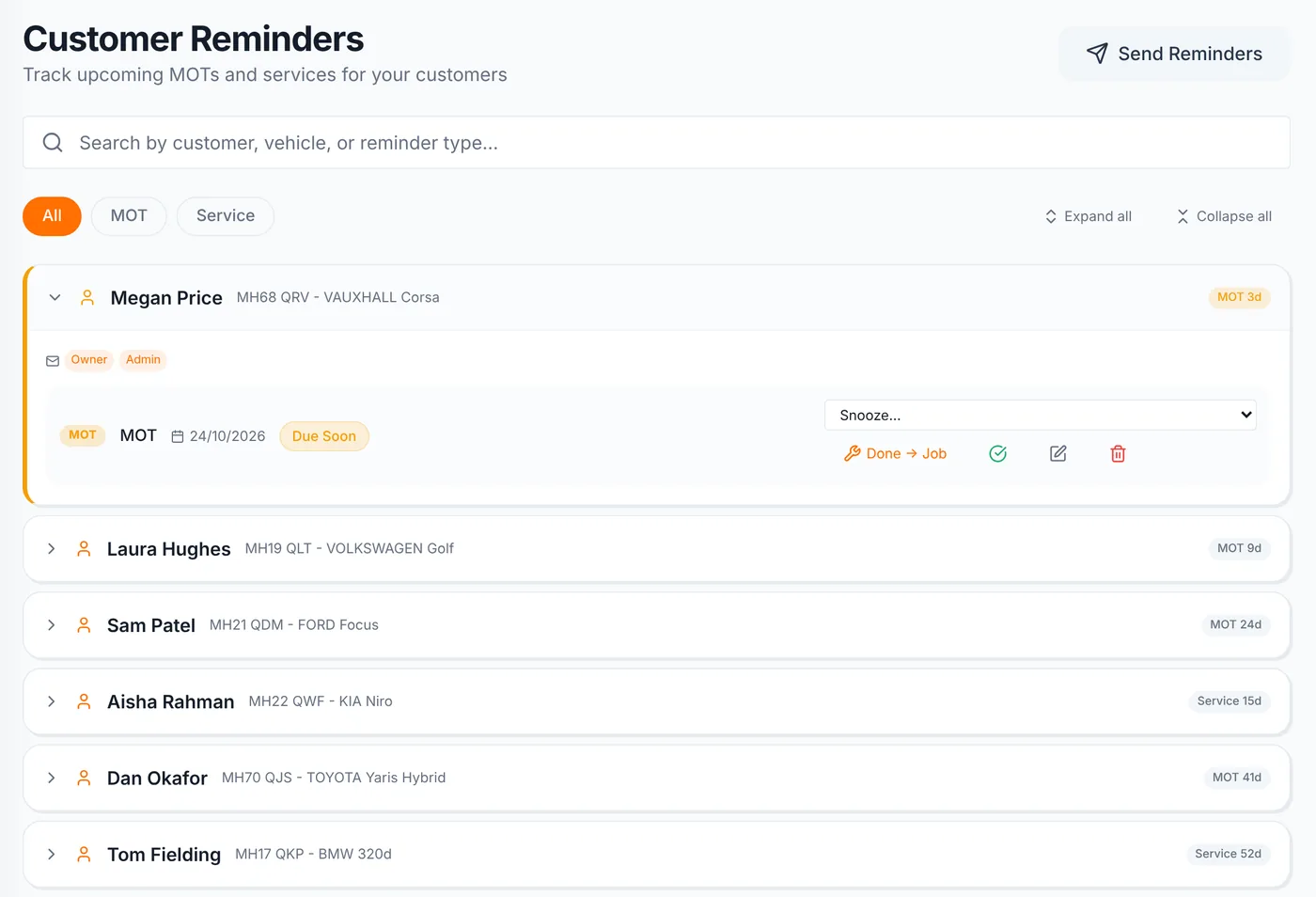
Reminders are checked every day and sent on a fixed schedule:
| Reminder | First message | Follow-up |
|---|---|---|
| MOT | About 30 days before the due date | About 7 days before, unless the reminder is marked done |
| Service | About 21 days before the due date | About 7 days before, unless the reminder is marked done |
Email reminders are on by default and work during the free trial. Once you subscribe, reminders also go by text using your monthly SMS allowance, and customers who have opted out of texts are skipped.
Texts come from your sender name, such as your garage's name, set in Business Settings under Messages. It must be 3 to 11 letters or numbers. Customers can't reply to a sender name, so give them a number to call.
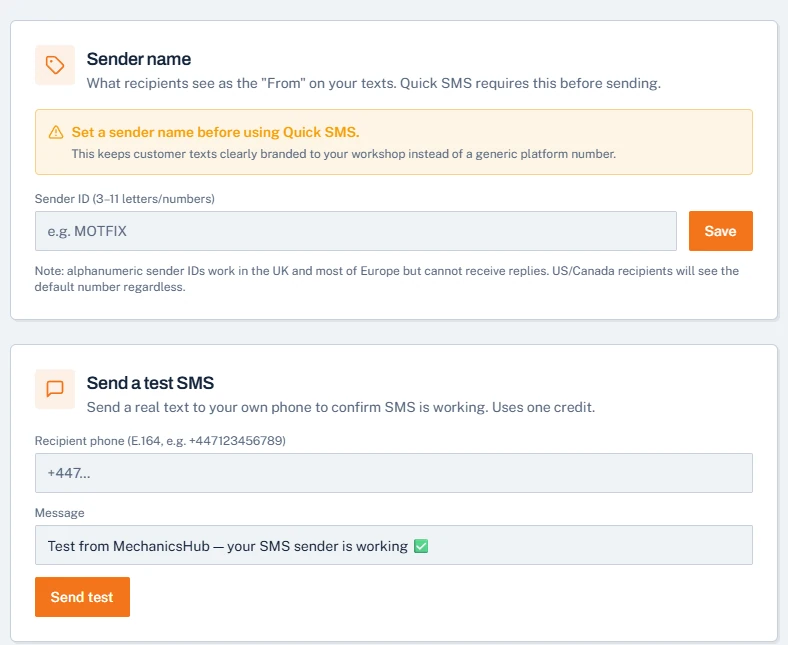
Reminders keep going until they're marked complete. When the customer books in, open Customer Reminders and mark it complete, or use Done → Job to close the reminder and create the job in one step.
A factual reminder about a customer's own vehicle may count as a service message. If it's treated as marketing, the soft opt-in still lets you text or email existing customers about similar services, as long as they could opt out when you took their details and can opt out in every message. Keep offers out of reminders: the ICO says any promotional content makes a message direct marketing.
Useful next steps
Plan sensible MOT and service reminder dates before putting the process into your garage system.
Open → GuideUse plain-English SMS and email reminder wording that does not sound spammy.
Open → GuideCopy simple service reminder message wording for garages and link it to a reminder plan.
Open → Help articleHow reminder dates and customer follow-ups work inside Mechanics Hub.
Open → Help articleSet sender names and understand how SMS customer updates are handled.
Open →Connected features
Replace paper job cards with a connected workshop record.
Track parts, oil, labour and invoice usage without spreadsheets.
Create branded invoices from jobs, parts and labour without retyping the work.
Run the workshop in Mechanics Hub and keep Xero as your accounts ledger, without retyping invoices.
See every bay, technician and booked job on one screen, then work straight from the job sheet.
Digital red, amber and green checks with photos, attached to the vehicle and easy to share with the customer.
FAQ
Yes. Mechanics Hub can store MOT dates and support reminder workflows by email and SMS, depending on the active plan and settings.
Many garages prefer an early reminder with enough time to book in, then one follow-up. That is usually more useful than waiting until seven days before the due date.
No. Basic DVLA and MOT lookups help with vehicle details and MOT information. Full vehicle history checks are separate paid checks for deeper history data.
Yes. The useful part is keeping the reminder tied to the customer record, vehicle, registration and future job history.
A good service reminder message should name the garage, mention the vehicle or registration, say the service is due soon, and give one clear action such as replying or calling to book.
Software that stores each vehicle's MOT and service dates and sends reminders on a schedule, so customers book back in without the garage keeping a diary of due dates. In Mechanics Hub the MOT date comes from the registration lookup.
No. Mark the reminder complete, or use Done → Job to close it and create the job in one step. Otherwise the 7-day follow-up is still sent.
Email reminders work during the trial. Text reminders start once you subscribe, using your monthly SMS allowance.
Try the full workflow
Add a customer, link a vehicle, create a job sheet, use stock or labour, send updates and build the invoice from the same record.